
Set additional preferences
After connecting your PostGrid account, you can configure preferences to control how address verification and autocomplete behave in your store.
Navigate to the Preferences tab in your PostGrid app settings.
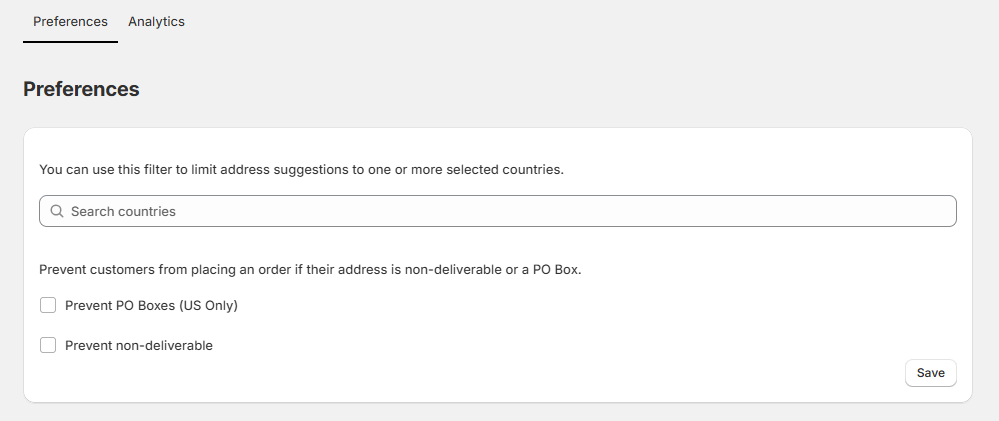
Use the available options to fine-tune your address validation rules:
Country Filter
You can limit address suggestions to one or more specific countries enabled in your store.
Type in the search bar and select the countries you want to include.
Only addresses from these countries will appear in autocomplete suggestions.
If you want address suggestions for all countries available in your store, simply skip this step.
Delivery Restrictions
Prevent customers from completing checkout with addresses that are not deliverable or are PO Boxes.
- Prevent PO Boxes (US Only): Blocks customers from entering PO Box addresses when shipping within the United States.
- Prevent Non-Deliverable: Stops customers from placing an order if the address cannot be validated as deliverable.
Click Save to apply your preferences.
These settings help ensure that your customers only enter valid, deliverable addresses and reduce failed deliveries or returned mail.
Updated 9 months ago